 GoalNav Manual
 In This Chapter
Changes to Forms
Data changes can be made within each form at any time until the study is locked. It is important to remember to press the ‘Save’ Button at the end of each form to ensure that your data is successfully saved. GoalNav® requires an active internet connection to save your data permanently. However, GoalNav® constantly auto saves your form data in your device storage with appropriate encryption, but it is only persisted in the current device you are using. In the event of loss of connectivity or in case of application crash, data can be recovered by visiting the same form using the same device and saving the form. The user will be reminded that the current data was recovered and not yet saved on GoalNav® servers. Users may also choose to clear the recovered data by using the ‘Clear Recovered Values’ button.
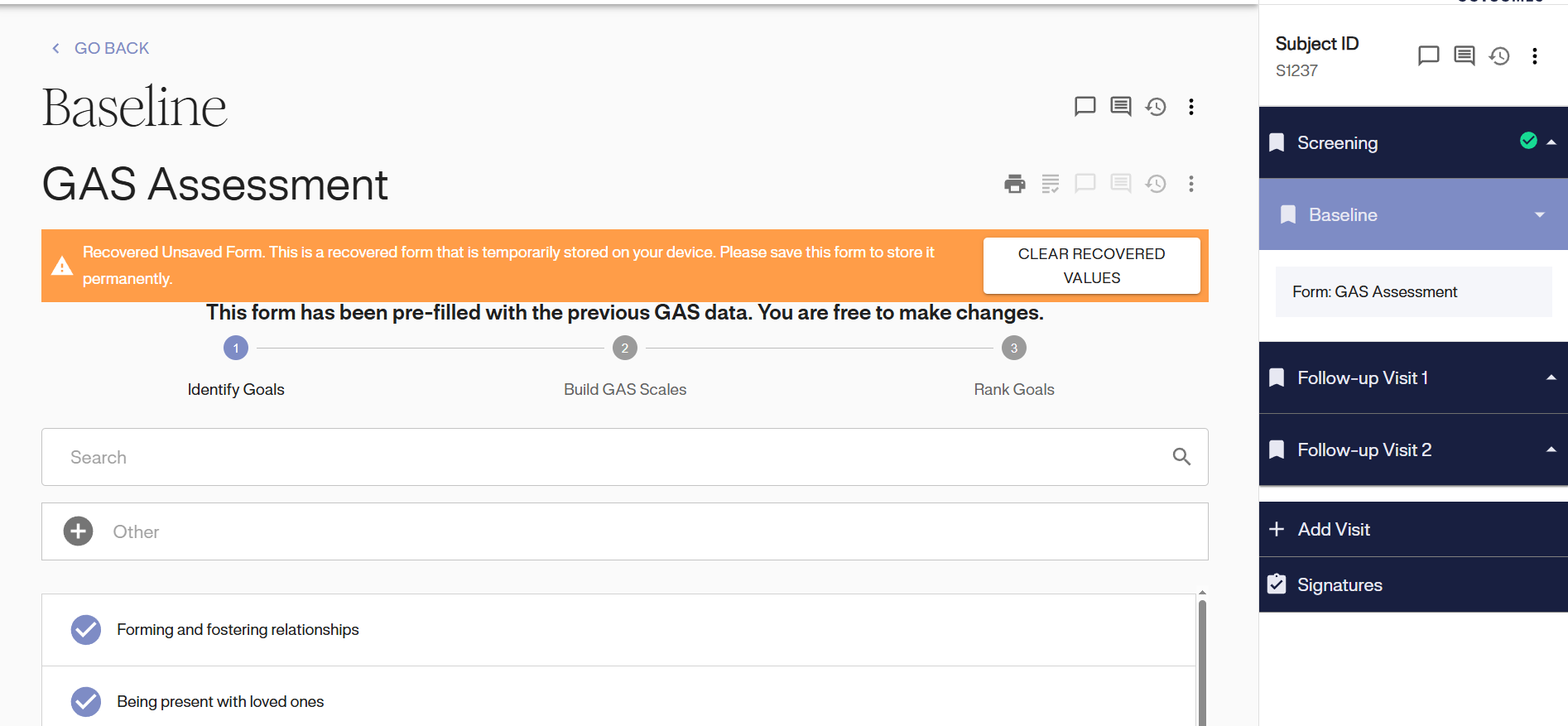
It is important to remember that data should only be changed in the following circumstances:
• Updating goals within the goal attainment scale form from screening to baseline
• An error was noted during data entry
• The wrong patient information was entered
• A monitor has a query that requires a change to the data
• Quality Assurance has requested changes to the subject’s goal(s)
To make changes to any form, you simply click on the appropriate visit and form and make the change.
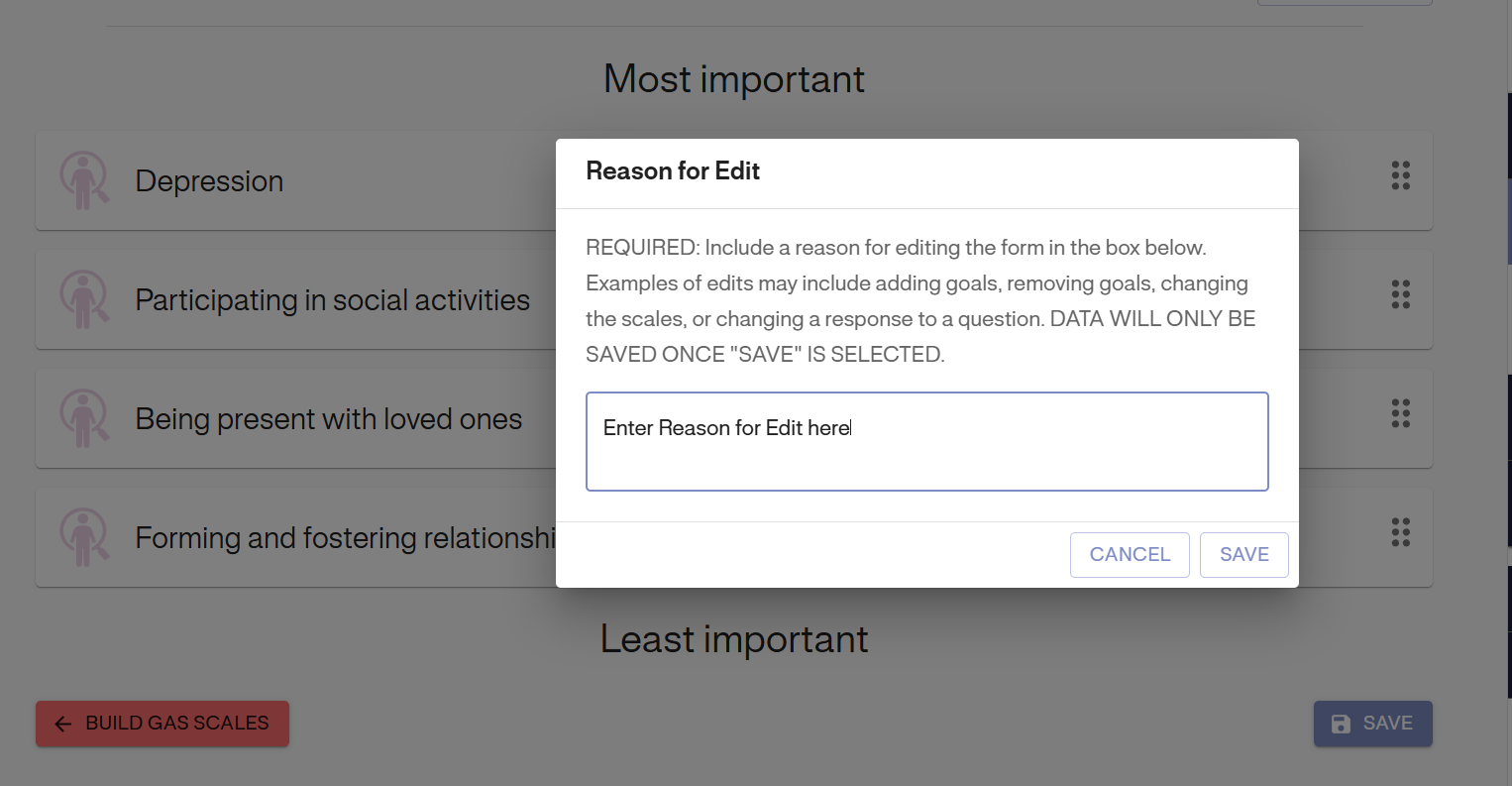
Once the change is made, you will be required to state why the change was made. Please make this as specific as possible. You are required to enter a reason and press save. If you press cancel, the data will remain on the screen but will not be saved in the system.
REMEMBER: Re-signing the data is required by all those responsible at their designated level each time changes are made. Re-signing the data is required by all those responsible at their designated level each time changes are made.