 GoalNav Manual
 What’s New in GoalNav®
2026 R1: Major Interface Updates
1. The New Study Dashboard
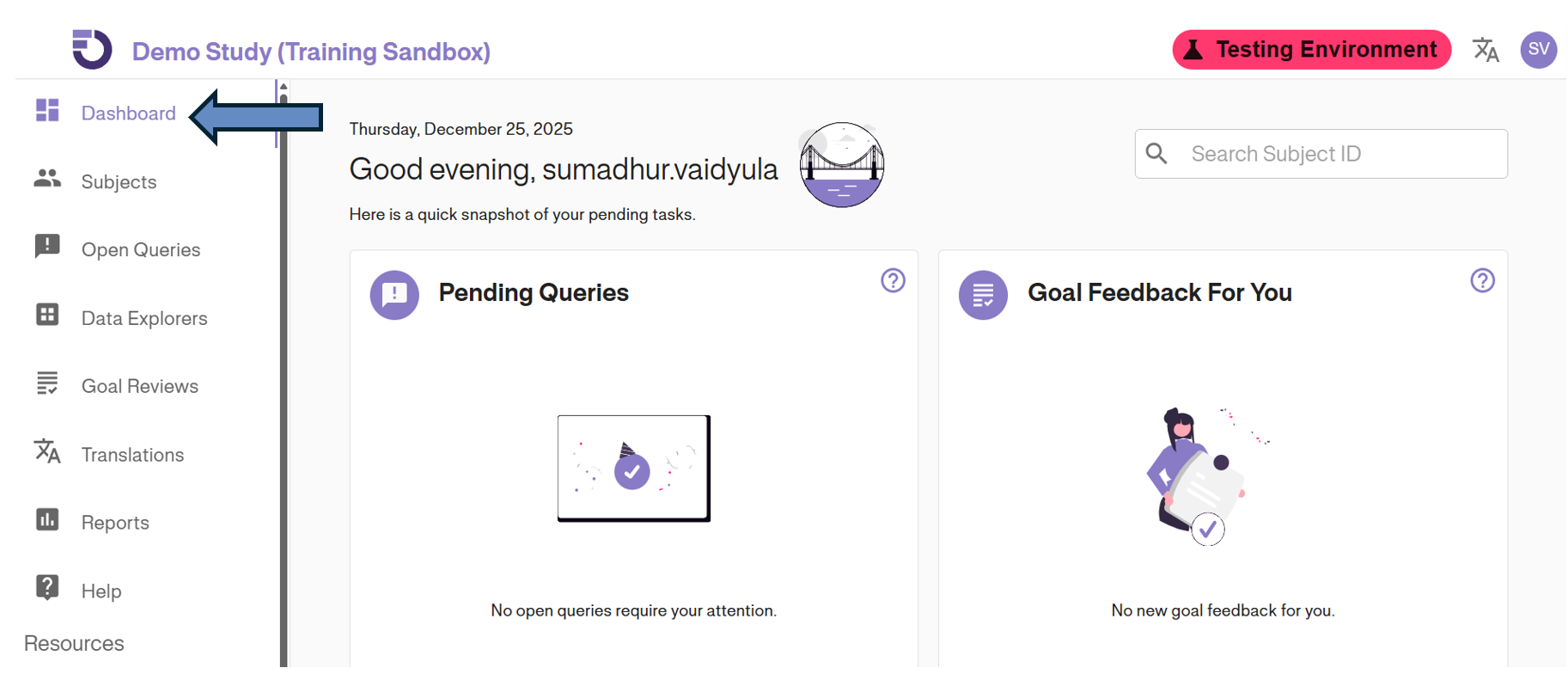
We have redesigned the Dashboard for better navigation and visibility.
- New Layout: A cleaner Left Navigation Menu and Top Bar for easier access to tools.
- Easy Access Cards: Quickly view Pending Queries and Goal Reviews at a glance.
2. Dark Mode Support 🌙
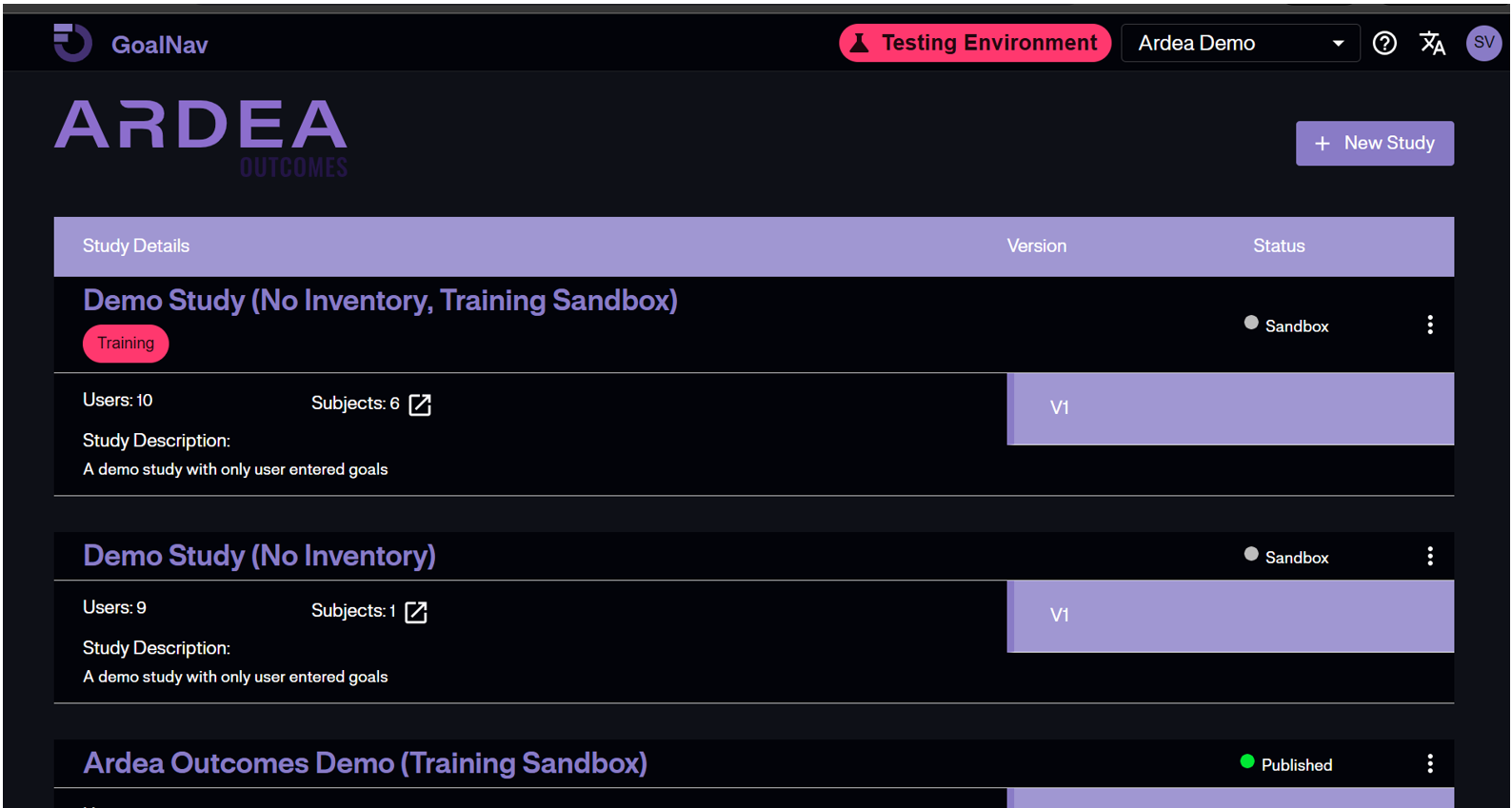
You can now toggle the interface to Dark Mode for better visibility in low-light environments. This can be accessed directly from your User Profile menu.
Enhanced GAS Data Entry Support
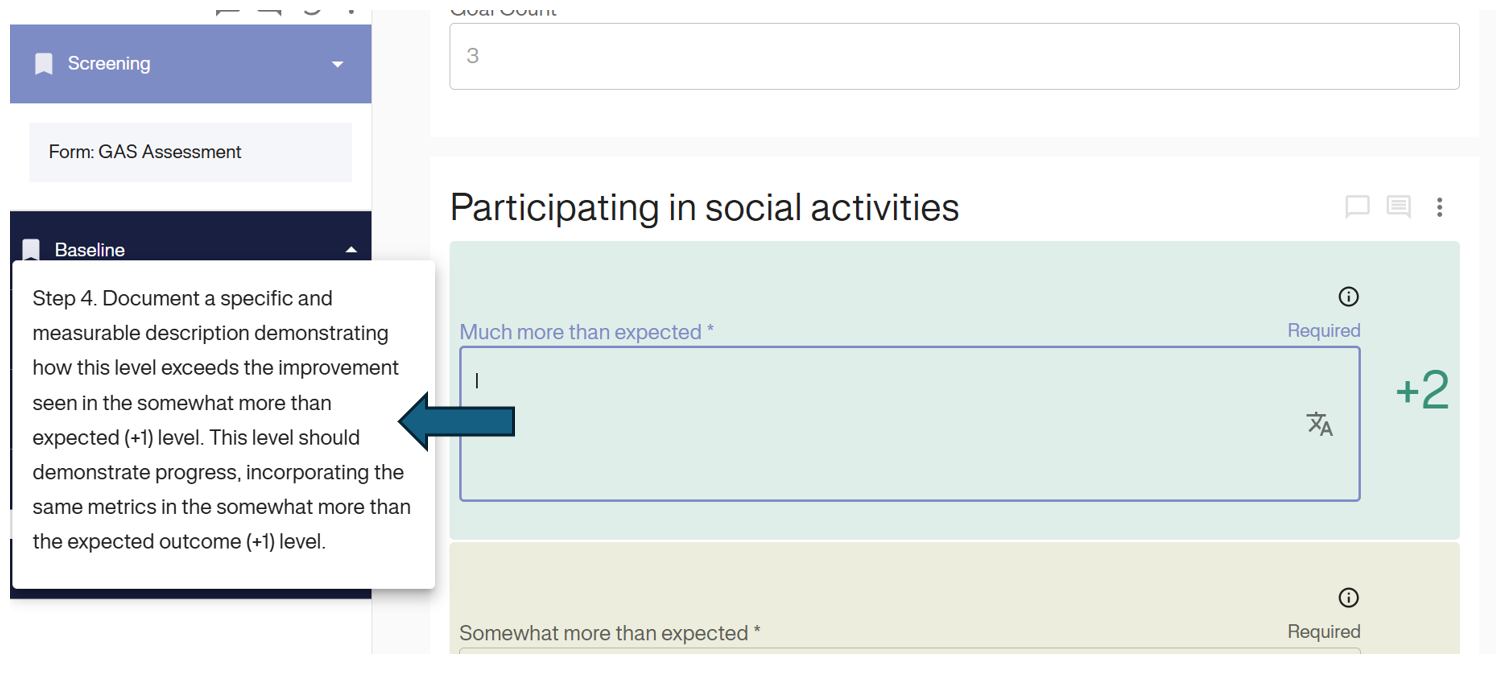
To support accurate Goal Attainment Scaling, we have added dynamic sidebar guidance.
- Real-time Prompts: The system now guides you through the specific requirements for each outcome level (such as distinguishing between a +1 and +2 result) exactly when you need it.
- Reduced Scrolling: The instruction card anchors to the field you are editing, preventing the need to scroll up to read header instructions while trying to enter data.
2025 R3 Release Highlights
User Experience Enhancements
- Browser Tab Names: The browser tab now dynamically displays the name of the last study you navigated to, making it easier to manage multiple open tabs.
- Training Reset: Users can now manually reset their training progress directly from the study list if they wish to retake a module.
Data Entry & Design
- Form Editing Window: We have updated the form edit prompt. Authors now have a 30-minute window to make minor edits to a form without triggering major version warnings.
- Accelerated Study Build: Added a “Duplicate N Times” feature for item groups, allowing designers to quickly replicate sections of a form.
Reporting
- Enrollment Report Update: A new Late Data Entry worksheet has been added to the Enrollment report to help track site compliance.
2025 R2 Release Highlights
Performance & Data Management
- Subject Matrix Pagination: The Subject Matrix is now paginated. This significantly improves loading speeds for studies with large patient populations.
- SDTM Exports: You now have the option to Filter Screen Failures when exporting SDTM datasets, keeping your export files cleaner and focused on enrolled subjects.
Query Management
- Enhanced Query Exports: The “Open Queries” export now includes User Information, allowing easier tracking of who raised or responded to specific queries.