 GoalNav Manual
 Source Data Verification
Note: This section applies only to studies configured for SDV. GoalNav does not allow the user who entered the data to verify it.
How to Verify
1. Select the correct participant. Select the form that needs to have SDV applied & review the form against the data collected on the paper form.
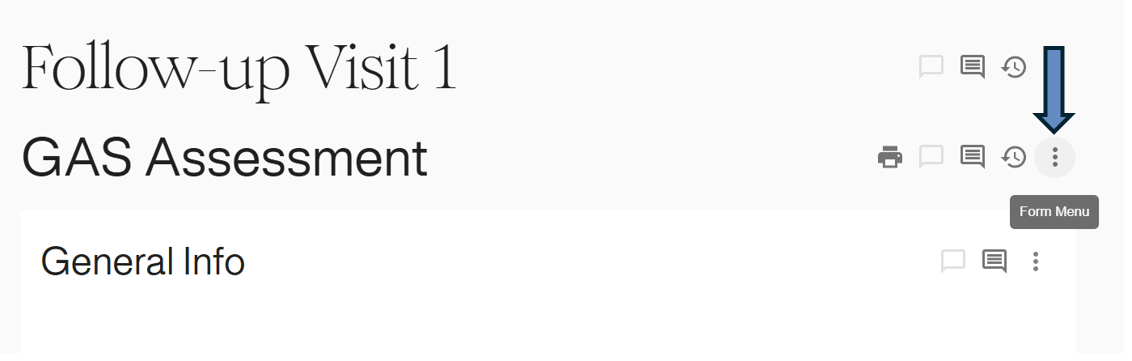
2. Navigate to the specific form within the Subject Details dashboard. Click the Options Icon (⋮) next to the form name.
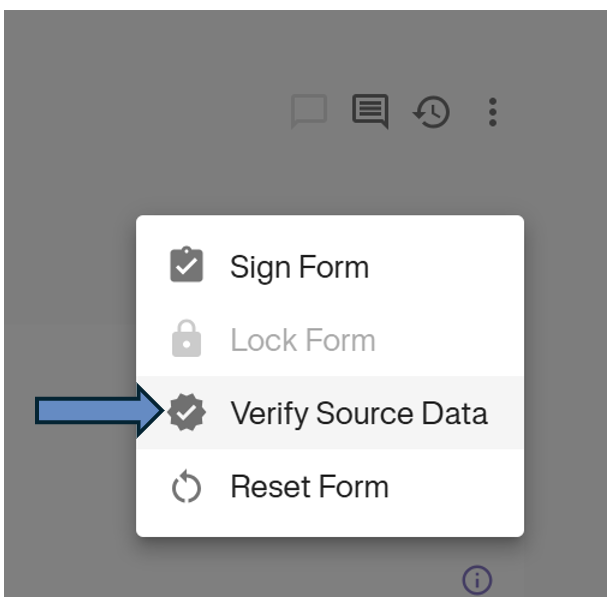
3. Select Verify Source Data from the dropdown menu.
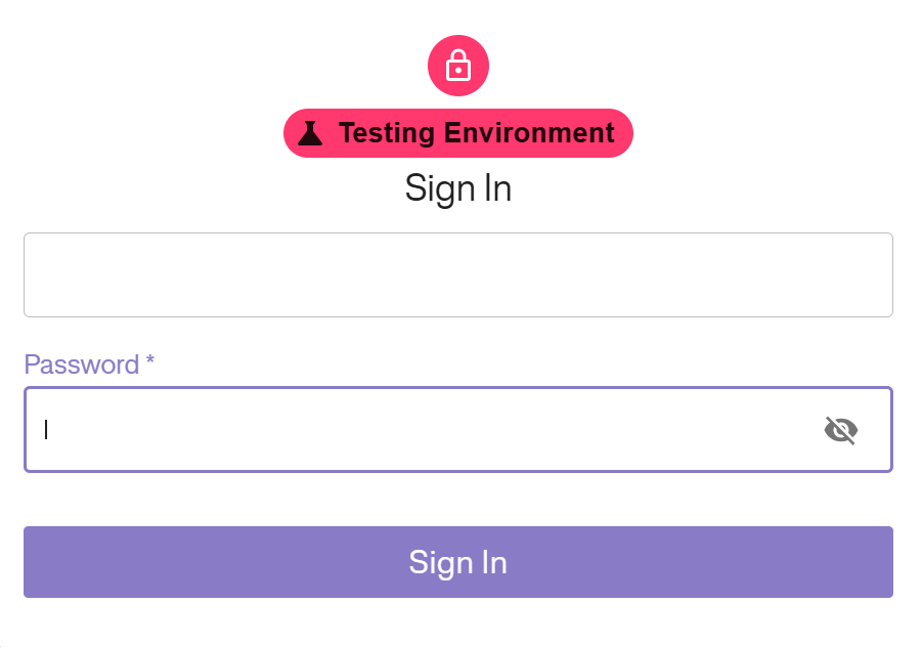
4. Authentication: You will be prompted to re-enter your password to confirm the verification. Enter your password and click Sign In.
Confirmation
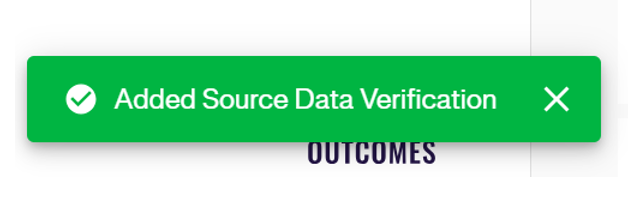
1. A green notification banner will appear at the bottom of the screen confirming the status has been added.
2. A Purple Checkmark badge will appear next to the form options, indicating the data has been verified.
