 GoalNav Manual
 Data Explorer
The Data Explorer allows Data Managers to view, filter, and export raw records across the entire study database.
Accessing the Explorer
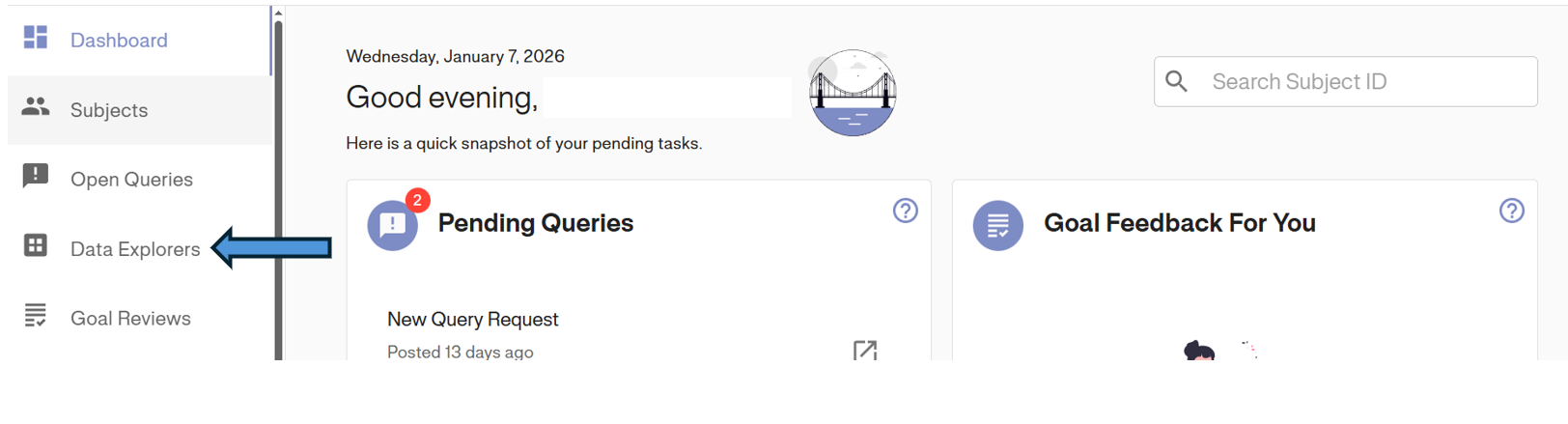
To begin, click Data Explorers in the Left Navigation Menu.
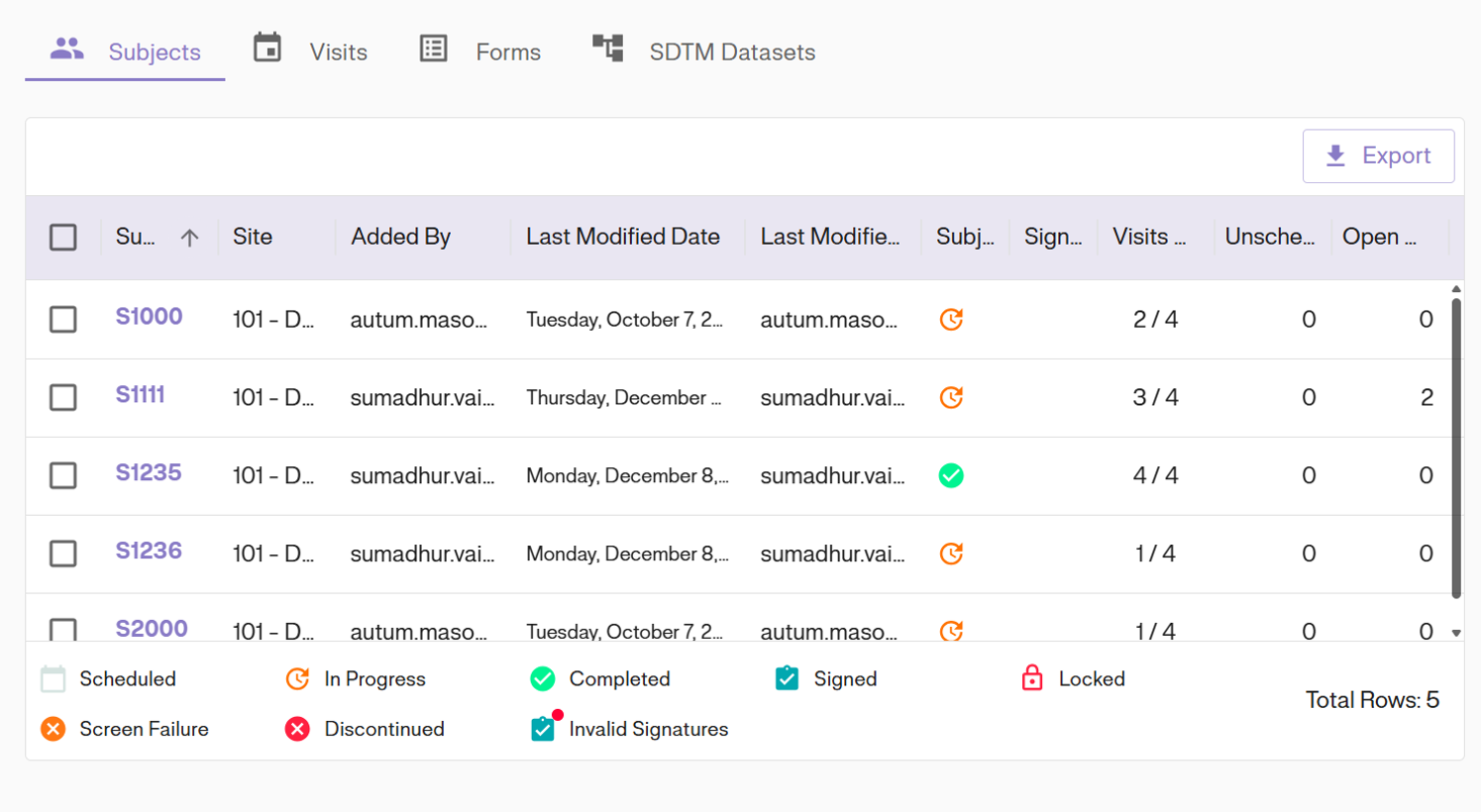
The default view opens the Subjects tab, showing a high-level overview of all subject records.
Navigation Views
You can switch between different data levels using the tabs at the top of the screen.
Visits View
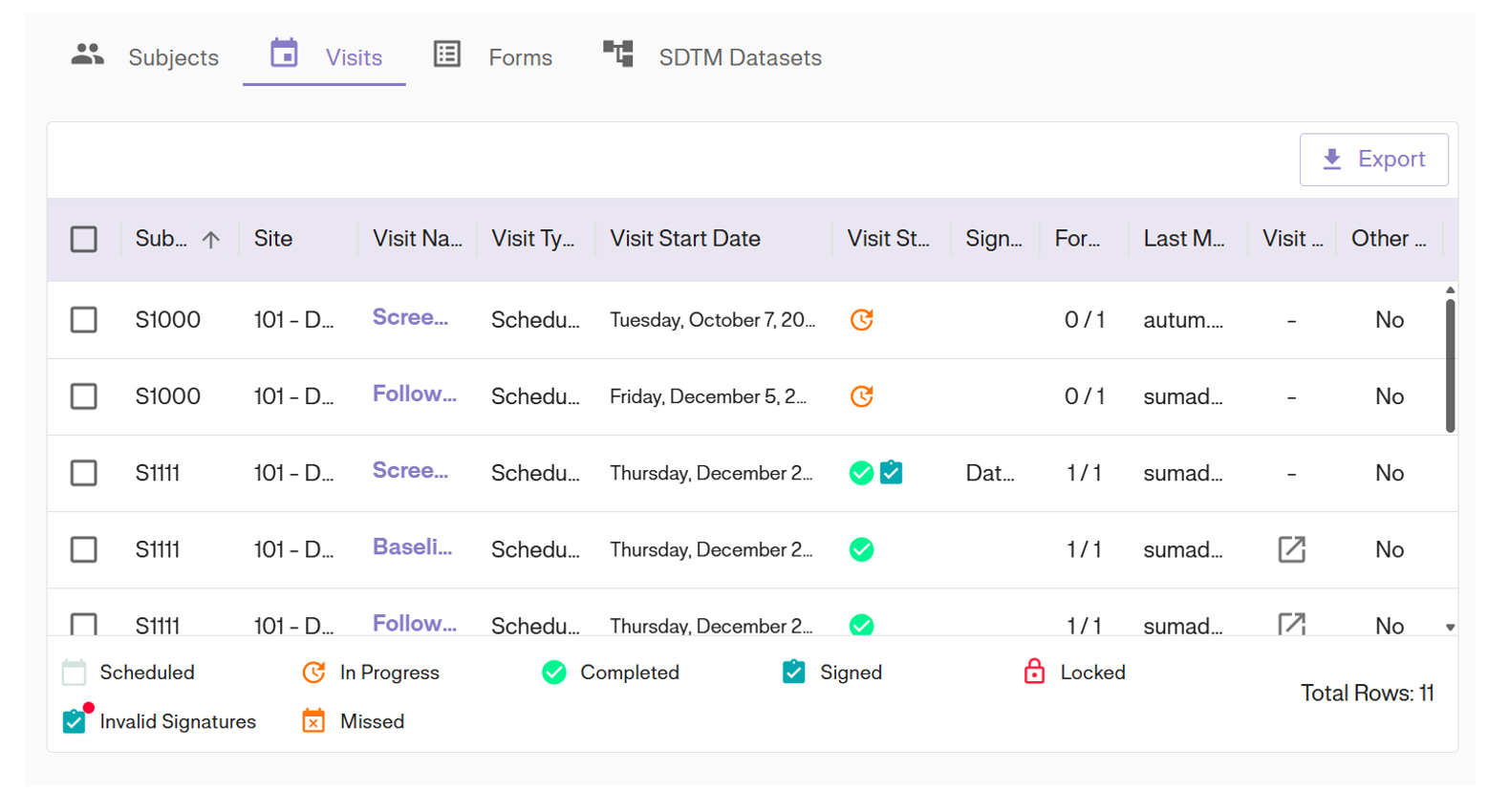
Click the Visits tab to see a log of every visit generated in the study, including status and dates.
Forms View
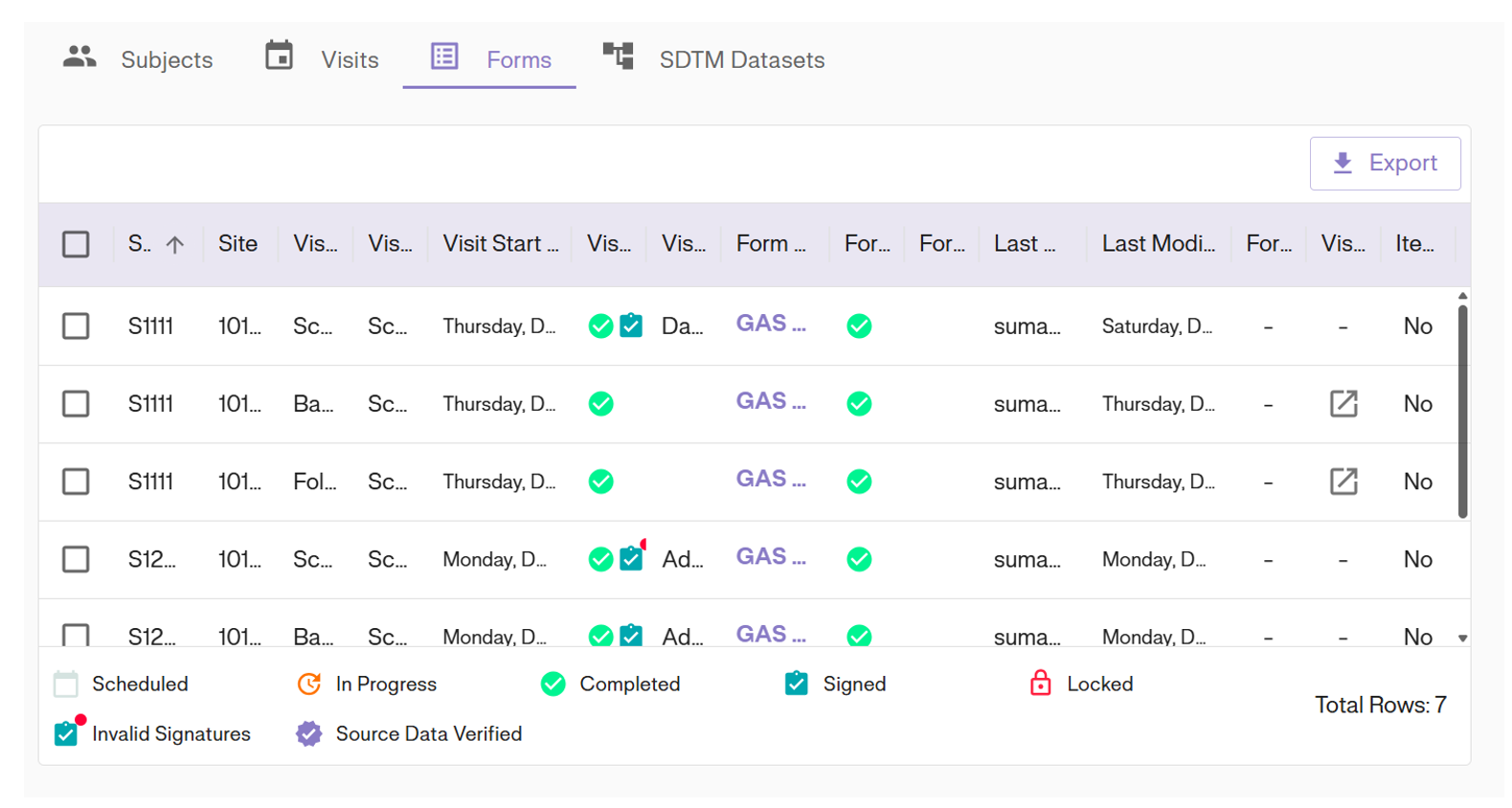
Click the Forms tab to drill down into specific forms, showing granular status details (e.g., Missing, Signed, Verified).
SDTM Datasets
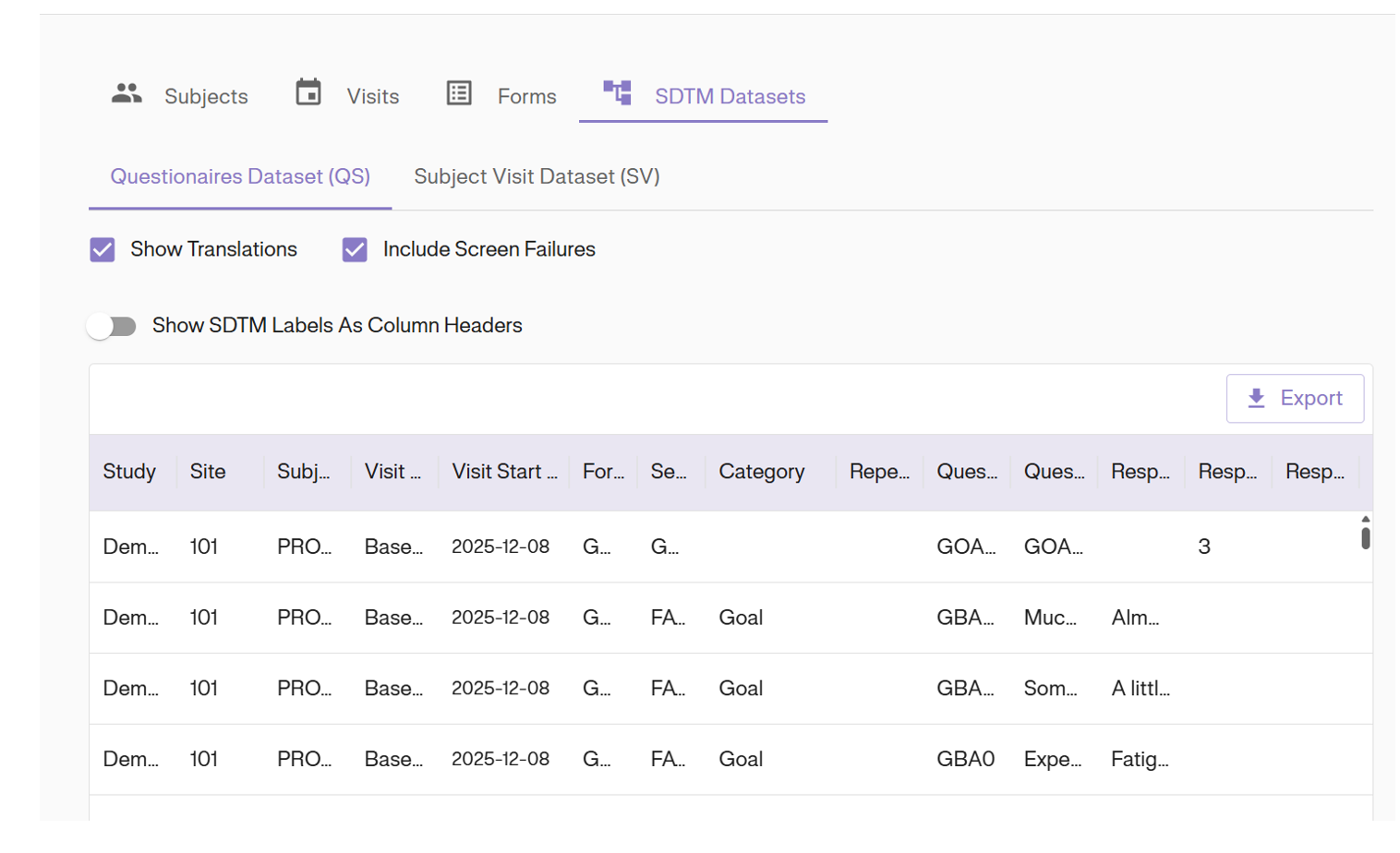
Click the SDTM Datasets tab to view standard tabulation data (e.g., Questionnaires, Subject Visits) ready for analysis.
Exporting Data
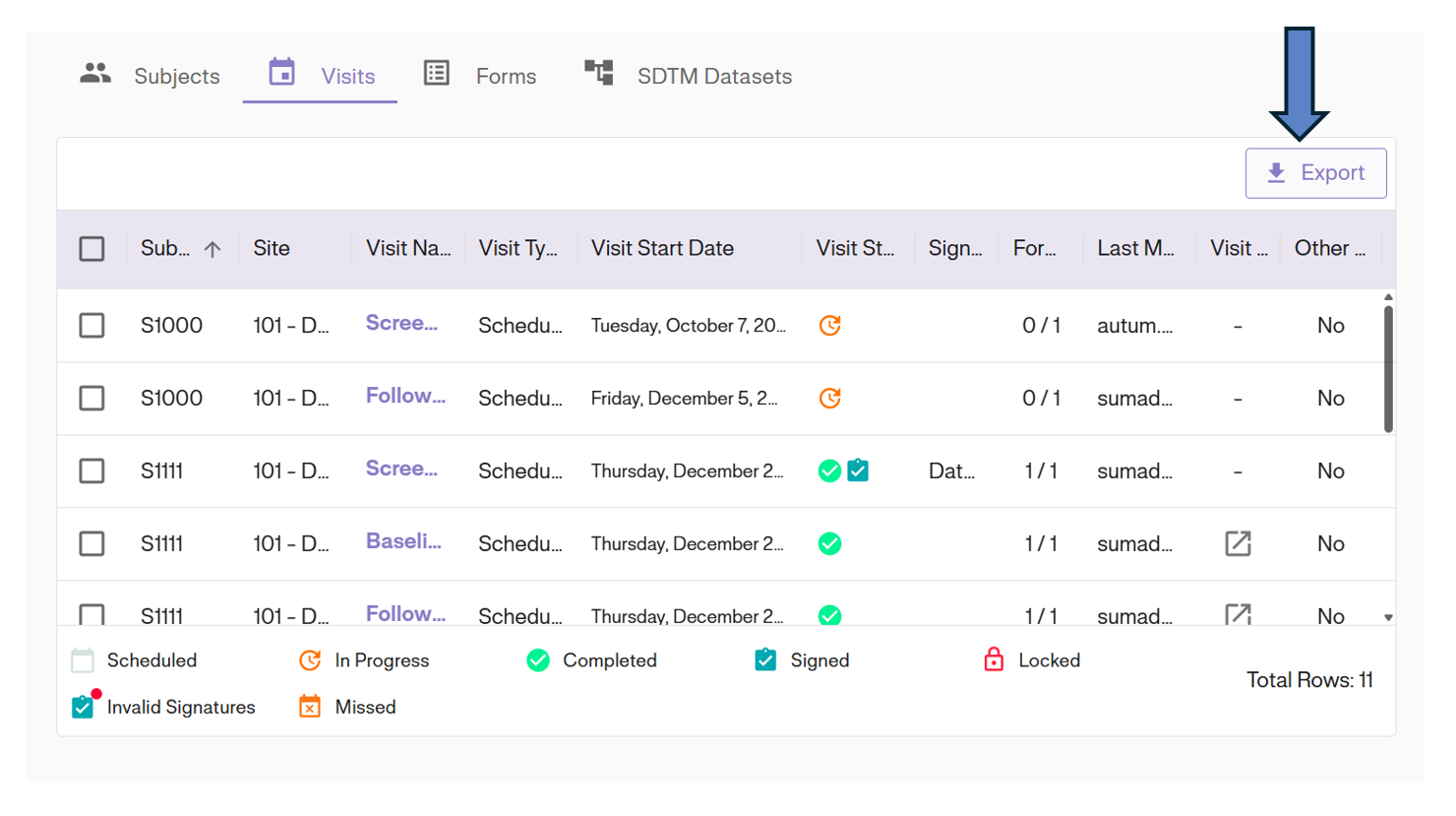
Every view in the Data Explorer supports full export capabilities.
1. Apply any desired filters to the columns.
2. Click the Export button in the top right corner.
3. The system will generate and download a CSV file of the current view.