 GoalNav Manual
 The Subject Matrix
Accessing the Matrix
1. On the Home Screen, click on your Study Name to access the dashboard.

2. Click on SUBJECTS in the Left Navigation Menu.

Understanding the Matrix
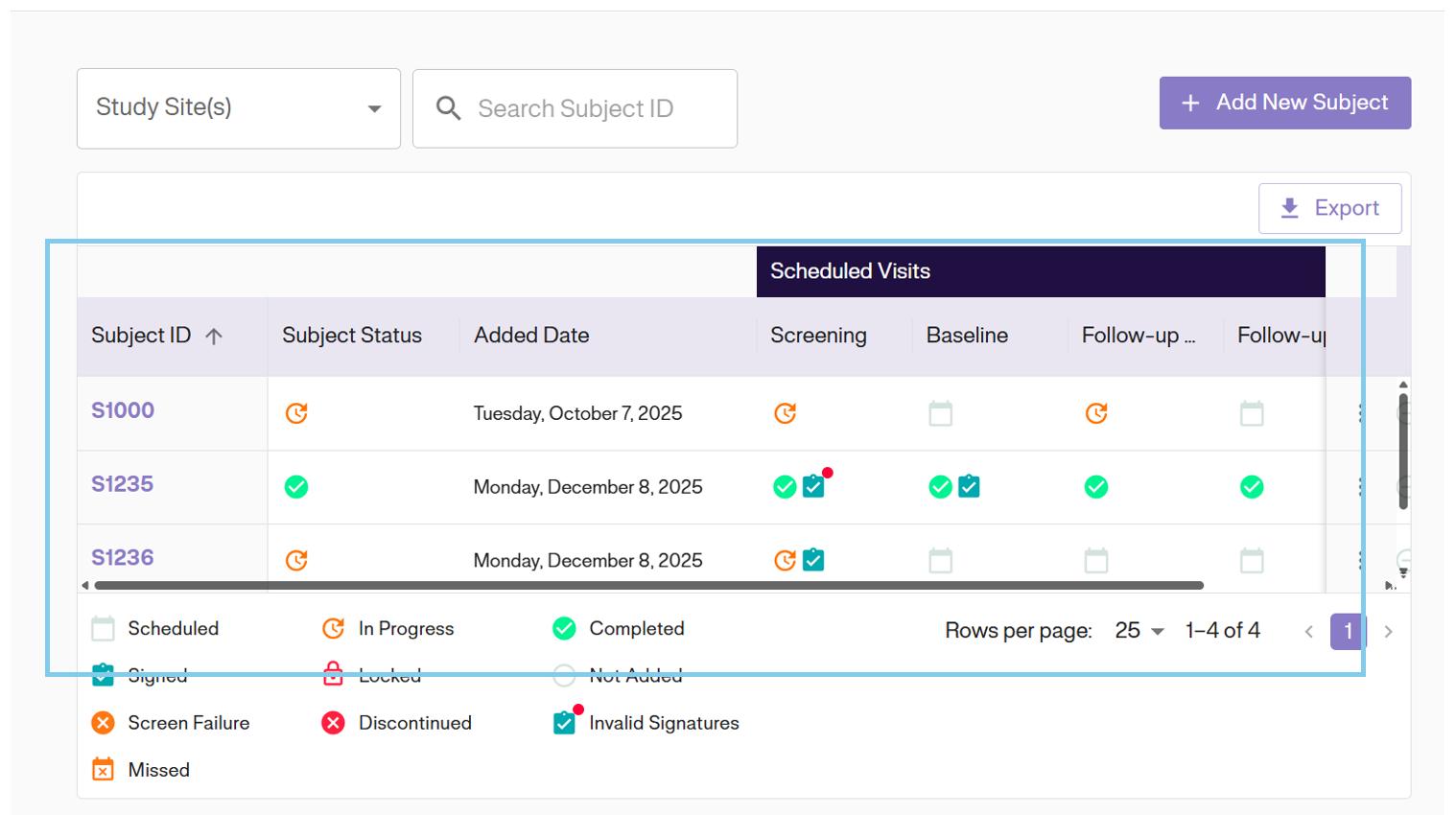
The Subject Matrix displays all subjects entered in the Study alongside their visit progress columns.
Features & Actions
- Export: Click the EXPORT button at the top to download the entire matrix as a CSV file.
- Row Actions: Click the Options Icon (⋮) on an individual row to perform specific actions like “View Subject” or “Sign Subject” depending on your user role.